
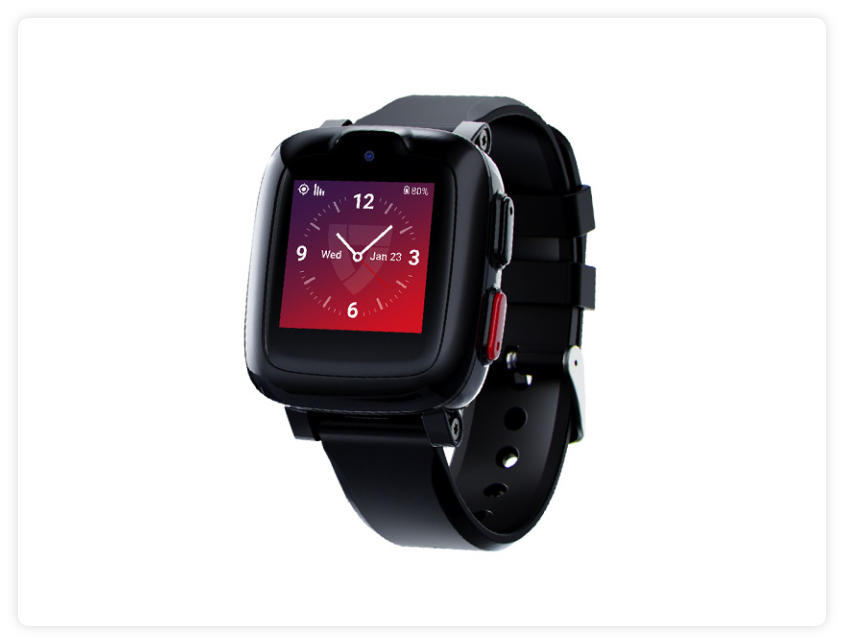
Freedom
Guardian 2.0
Find Solutions
Set Up & Installation
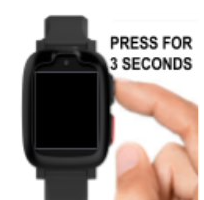
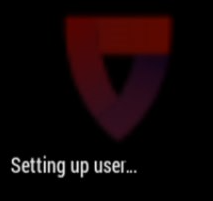
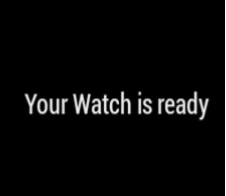
Follow these steps to power on the Freedom Guardian 2.0:

Coverage:
- AT&T 4G nationwide cell coverage.
- An unlimited range within the US and GPS location.
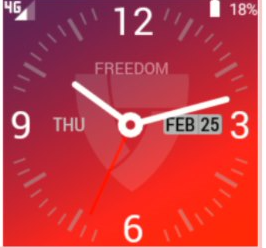
- A clear indication of signal strength on the watch screen.
Buttons
Red Button:
The Red Button is a physical button at the lower right side of the watch that initiates an SOS Emergency alarm.
Black Button:
The Black Button is a physical button at the top right side of the watch. The Black Button serves three functions:
- Power the watch on
- Power the watch off
- Wake up the watch when the screen display goes to sleep in order to conserve energy.
Included Apps:
- Clock: The clock app will show the time, day of the week, and date based on your current location. There are four different clock screens to choose from to customize the clock display.
- SOS: Use the touchscreen app to initiate a call for help.
- Weather: The weather app displays location, current weather, the day’s high and low temperature, and additional weather data.
- Test: Test the watch with an automated assistant. Great for monthly testing!
Add-On Apps (Enhanced Features):
For an extra $5 per month enable messaging, activities, and reminders. Take advantage of these features by logging into the MyGuardian member portal.???????
- Messaging: Through the MyGuardian member portal, a Care Circle Member can initiate a message to the watch. Once the message is sent, the user receives a notification on the watch. The user can read or listen to the message. They will then have a variety of options to respond including, pre-populated responses, and recording an audio response. Those are then transmitted back to the portal, where the member or member of the care circle can either read or listen to the responses.
- Reminders: Through the MyGuardian member portal, a Care Circle member can set up reminders and alerts for medical appointments, medication reminders, health reminders, etc.
Charging Your Device
Charging Your Device:
- Plug the USB cord into the wall charger.
- Plug the wall charger into a direct wall socket that is not connected to a light switch. Avoid any power strips or power cords.
- Connect magnetic prongs on the USB charging cord to the magnetic charging pad at the back of the Freedom Guardian 2.0.
- When the prongs on the USB cord are properly lined up to the magnetic charging pad, the magnets on both parts will lock into place.
- When the watch begins to charge while it is still powered off, the screen will be blank for the first 5 to 10 seconds. Then a battery image will appear on the screen. The image will remain on the screen for 3 seconds, with battery percentage displayed above the image.
Battery Life and Charging:
- Battery life of 18 to 24 hours. It is recommended to charge daily for up to four hours.
Specifications
Size:
- Weight: 2.1 ounces
- Wristband length: 4.6 inches-3 inches
- Wristband width: 0.875 inches
- Watch face: .94 x .94 inches
- Material: TPU (Thermoplastic polyurethane plastic)
The band is not changeable.
Water-Resistant: The Freedom Guardian is water-resistant and can be worn in the shower. The watch cannot be submerged in water and should be towel dried after exposure to water.
The watch is IP67 Certified.