
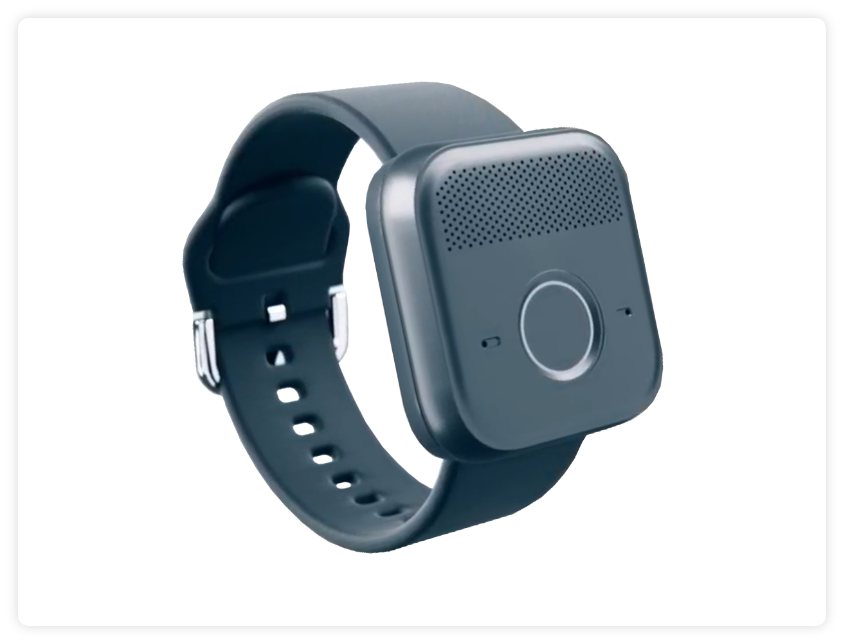
MGMini Lite
Find Solutions
Getting Started
Powering On & Off
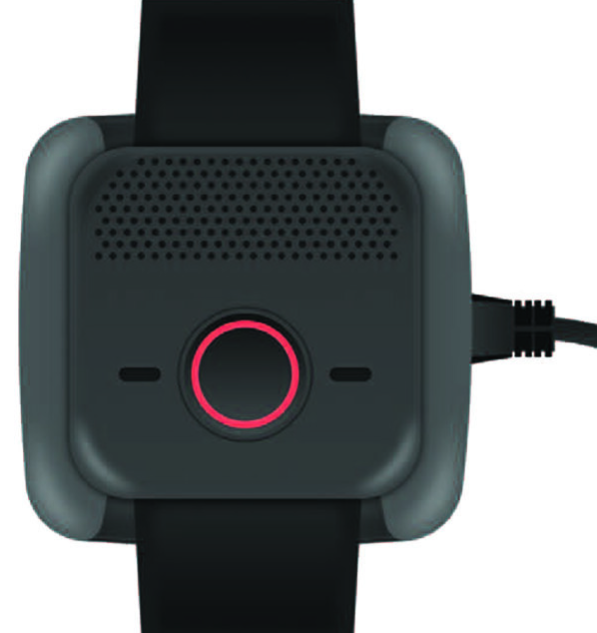
- To power on the MGMini Lite, plug the charging cradle directly into a wall outlet. (In order to ensure the cradle is receiving sufficient power avoid power strips, extension cords, and outlets controlled by a light switch.)
- When the charging cradle is plugged in and receiving power, a red LED light in the center of the cradle will illuminate.
- Line up the device with the cradle and push down until you hear a click.
- If the device was cradled properly, it will state “Charging”.
- The call button will flash red while charging.
Powering Off The MGMini Lite (Reset Button)
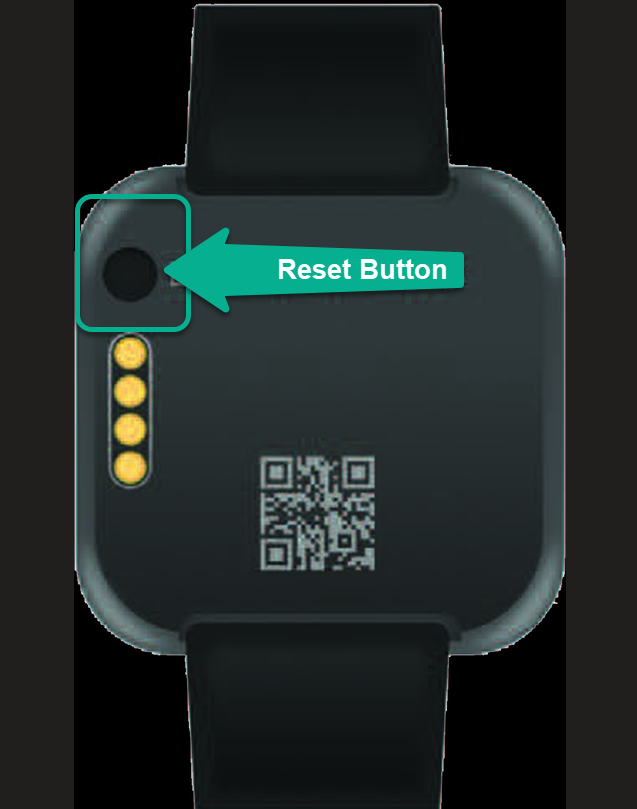
The reset button is located on the back of the device and can be used to power off the device or put it in sleep mode.
Parts Identification
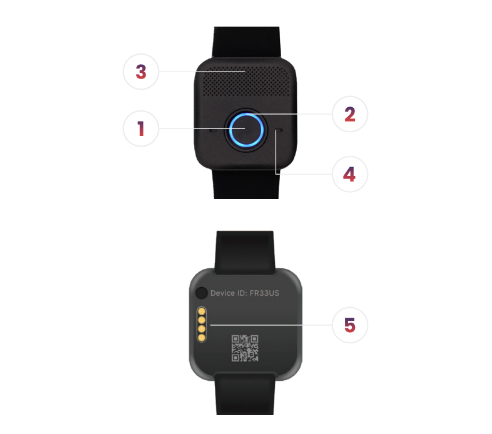
- The Help Button
- Blue Call Light / Red Battery Light
- Speaker
- Microphone
- Charging Pins
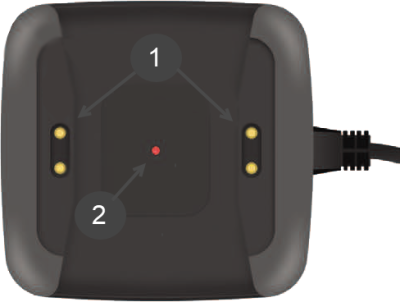
Charging Cradle
- Charging Pins
- Red LED Power Indicator
The cradle and power cord are connected. No assembly is required.
Wearable Wristband

Putting On The Watch:
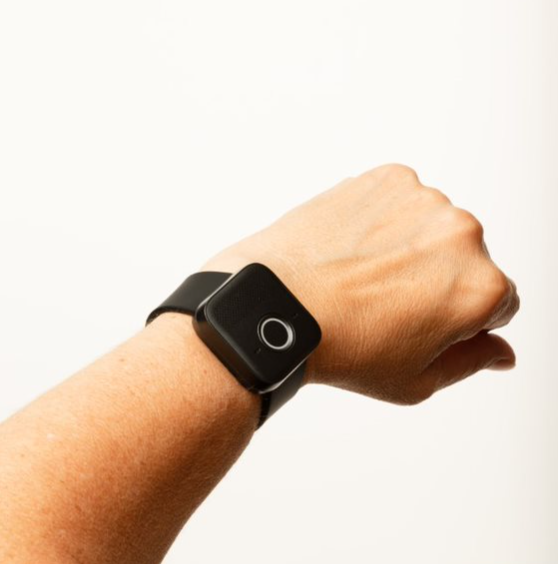
- Examine the band to find the hole that corresponds to the desired fit. There are multiple holes to accommodate different wrist sizes.
- Put on the watch and fasten the buckle. Check if the fit is comfortable and secure. Make sure the watch isn’t too tight or too loose.
- If the band feels slightly off in terms of comfort or fit, you can fine-tune the fit by choosing a different hole on the band.
XL Bands Are Available:
If the watch does not fit, call Medical Guardian to receive an XL wristband.
- Standard Wrist band size: 9” L X 1” W
- Wrist band XL size: 10.375” L x 1” W
Replacing The Wristband:
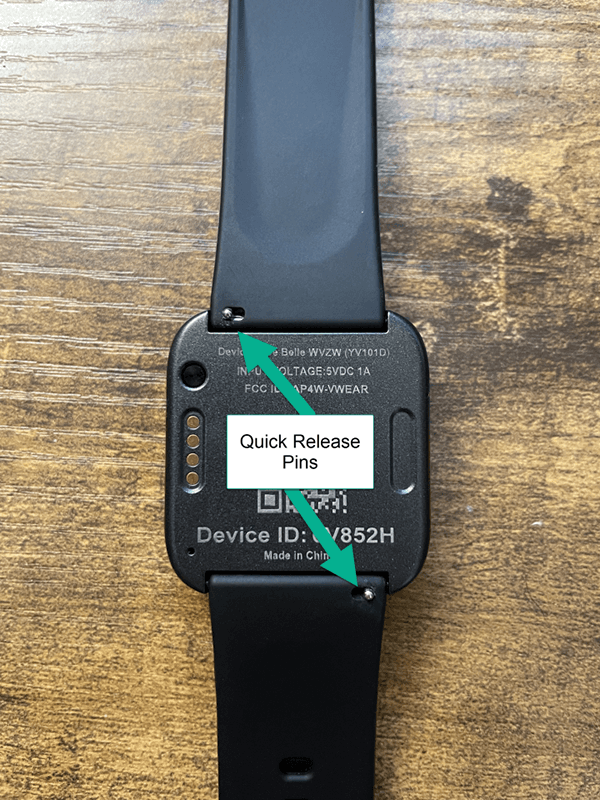
- Turn the MGMini Lite over and locate the small silver quick-release pins on each wrist strap.
- Remove the existing wristband by sliding the quick-release pin toward the center of the device and pivot the wristband away from the device.
- Insert the side of the horizontal bar without the quick release into the hole on one side of the device.
- Slide the quick-release pin toward the center of the device.
- Pivot the wristband into the device by sliding the quick-release pin back into position once the wristband is firmly in the device.
Click here to watch how to replace the wristband of your device!
Set Up & Charging
When you receive your device, take everything out of the box and charge the device.
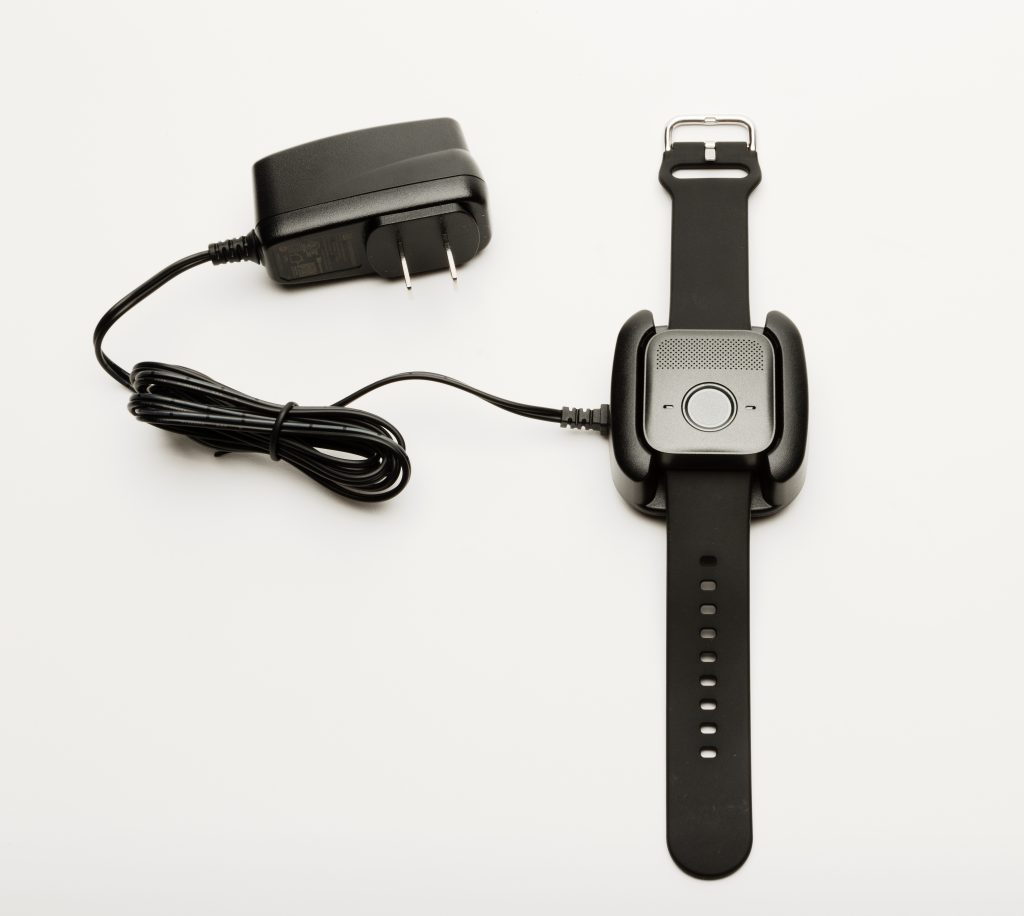
To charge: Plug the charging cradle into an outlet. Then place your device into the cradle as shown, making sure the charging pins line up with the charging plates.
After about 5 seconds, you will hear the device say “Charging.”
While the device is charging, the red battery light flashes every 5 seconds. When the device is fully charged, the battery light will be solid red.
Typical charging time is about 2-3 hours.
Important Charging Best Practices
- The MGMini Lite should be charged daily and can take up to 2-3 hours to reach a full charge.
- The battery will last up to 36 hours on a full charge. Battery life can vary depending on cellular strength, usage and fall detection events.
- If the device is removed from the cradle without sufficient battery, the device will state, “Battery low, please charge.”
- If the battery is low, the device will state. “Battery low, please charge” or “Call failed, battery low” when you press the help button. It will then power off.
- Please make sure the electric outlet you use is in a convenient location for you to access and is not controlled by a light switch to ensure consistent charging. To ensure adequate power avoid power strips and extension cords.
- Once in use, if the battery is low, the red battery light will slowly flash. Always wear your device.
- Failure to follow charging procedures will cause the device to not function properly.
- Always wear your device.
Initial Set Up
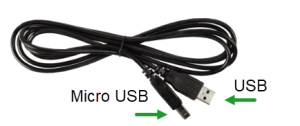
1. Plug the charging cradle into an outlet and wait for the red light to turn on.
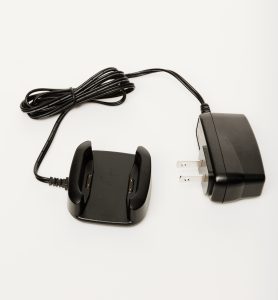
2. Line up the gold pins on the charging cradle with the gold plates on the device.
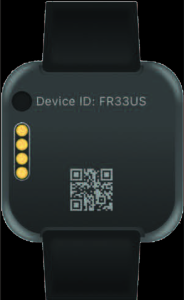
3. Place the device into the cradle and wait for the device to say “Charging”. The red battery light flashes every 5 seconds while charging. Typical charging time is about 2-3 hours.
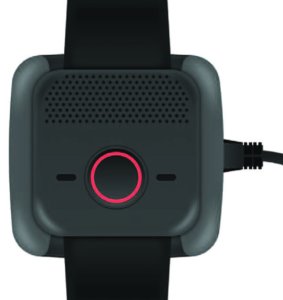
4. Test your MGMini Lite.
Features & Add-Ons
Cleaning Your Device
We recommend that you clean your device weekly to ensure proper charging. Using a soft cloth, gently rub the gold contacts on the device and charging cradle to remove dirt, oil, and debris. If needed, you can spray household cleaner onto a cleaning cloth (not directly onto the device or cradle) and then wipe to remove debris.
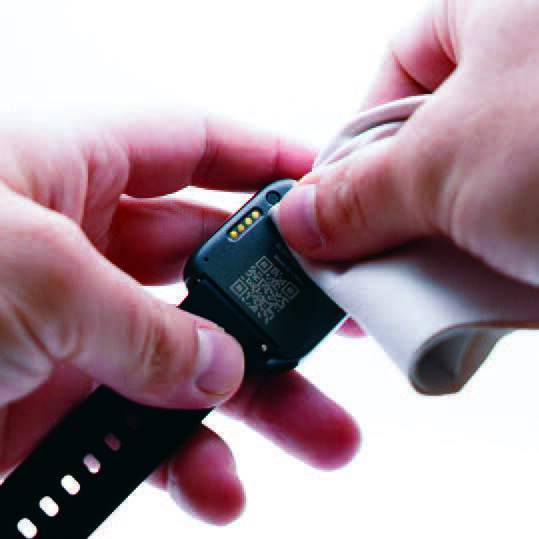
Clean the gold charging contacts on the bottom of your device.

Clean the speaker holes on the top of your device.
Light Indicators
The MGMini Lite uses light indicators to alert members to device functions.
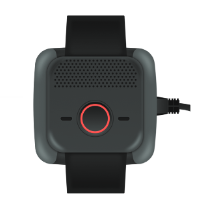
Red battery light around the help button.
- While charging, the red battery light will flash every 5 seconds until the device is fully charged.
- When fully charged, the red light will be solid.
- If the battery is low, the red battery light will slowly flash when off the charging cradle.
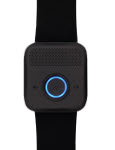
Blue call light around the help button.
- During an emergency call, when the help button has been pushed, the blue light will be solid.
- The blue light will also flash every 5 seconds while charging.
- If the blue light flashes every 1 second, or if it double flashes, please contact Medical Guardian for support.
Testing Your Device
- Press and hold the help button until the blue call light appears and then release the button.
- You will hear a voice and then tones or ringing.
- An emergency operator will answer the call.
- Tell the operator you are testing your device.
Call Cancellation
It is possible to cancel a false alarm if the alarm is activated by Fall Detection. The device will state “Fall detected; hold the call button to cancel.” Press and hold the help button until you hear “Fall detection canceled.”

Fall Detection
Watch this video to learn everything you need to know about Fall Detection with your MGMini Lite!
Fall Detection can provide peace of mind knowing that our monitoring center will receive a signal to send help without the push of a button for additional $10.00 monthly.
- Fall Detection pendants contain tiny sensors that can detect changes in motion, as well as changes in the height of the pendant. If a fall is detected, the device will send an alarm to the monitoring center to begin the normal call process.
- Fall Detection works best when worn around the neck and outside of clothing.
- Fall Detection does not detect 100% of falls. If you are able, press your fall detection button in the event of an emergency. You may experience false alarms from time to time. Please advise the operator it was a false alarm.
FAQs
How do I know if the MGMini Lite is charging?
The device will state “charging” when it’s placed onto the charging cradle. You will also see the light around the call button flashing red.
How do I know when the MGMini Lite is fully charged?
Your device is fully charged when the light around the call button is solid red.
Is it possible that my location may not be found?
While it is very unlikely, it is possible that platform supporting the device may not receive a latitude or longitude or that an address cannot be found. In this case, all location technologies available will be used to locate the device. No technology works 100% of the time.
If I don’t need a cell phone, how does the device connect?
The MGMini Lite uses cellular coverage to work properly. It is important to test the device to ensure you have adequate cell coverage in your area. If you experience coverage issues, please contact Medical Guardian immediately.
Can I use this with my pacemakers?
If you have a pacemaker, it’s important to consult with your medical professional and review your pacemaker materials regarding interactions with cell phones. You should then follow the same precautions recommended in those materials for using this medical alert device.
Does the device contain magnets?
No, the MGMini Lite does not contain any magnets.
*No technology, including fall detection technology, works 100% of the time. If a fall occurs, you should always push your button.
*If your device does not connect properly, please contact Medical Guardian immediately.
Best Practices
Location Services:
The MGMini Lite uses Wi-Fi positioning to determine location. Wi-Fi positioning works by using signals from nearby Wi-Fi devices to determine the approximate location of the MGMini Lite.
Testing:
It is recommended to test the mobile device and any/all buttons once a month.